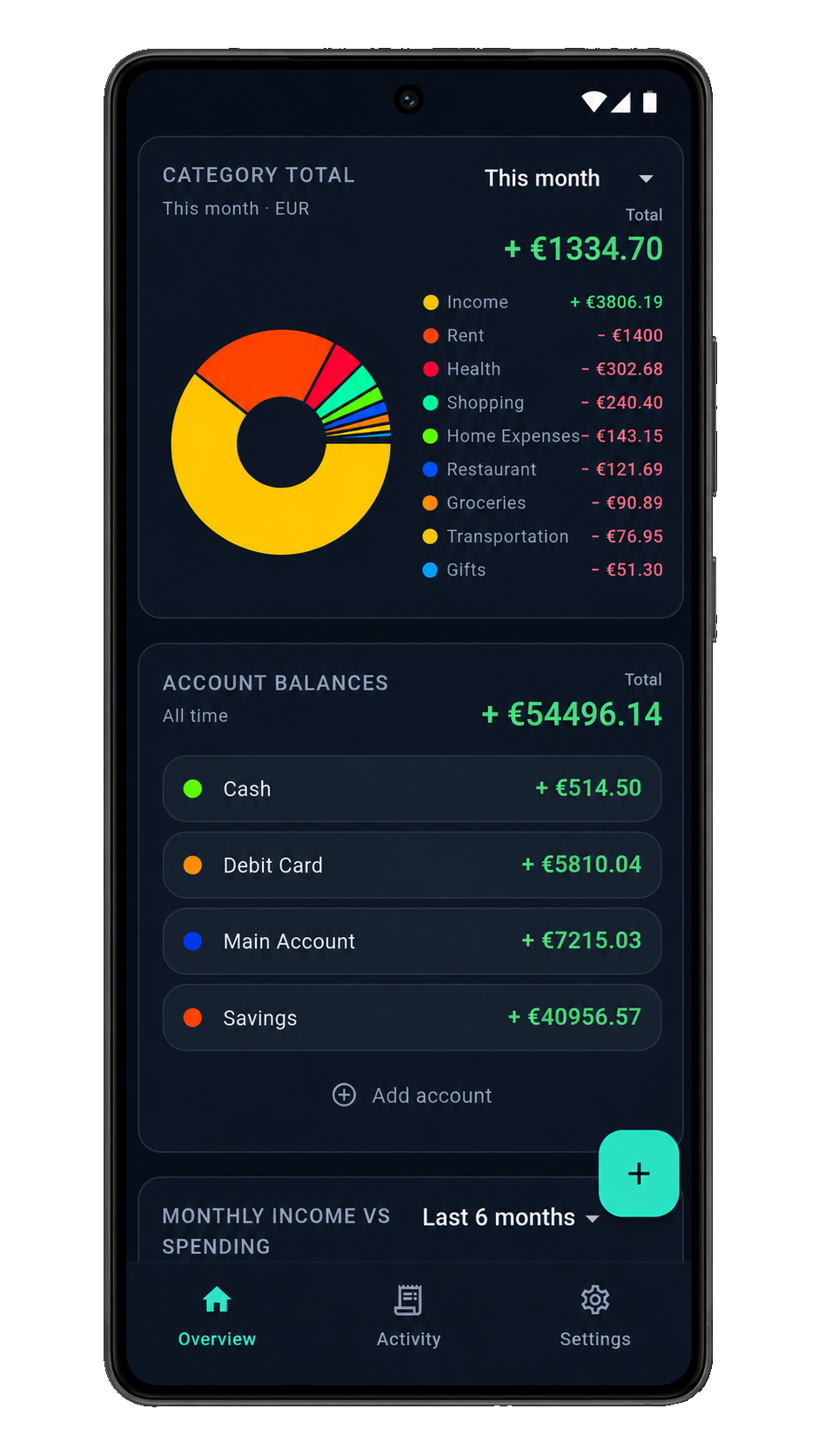
Overview
See where it goes
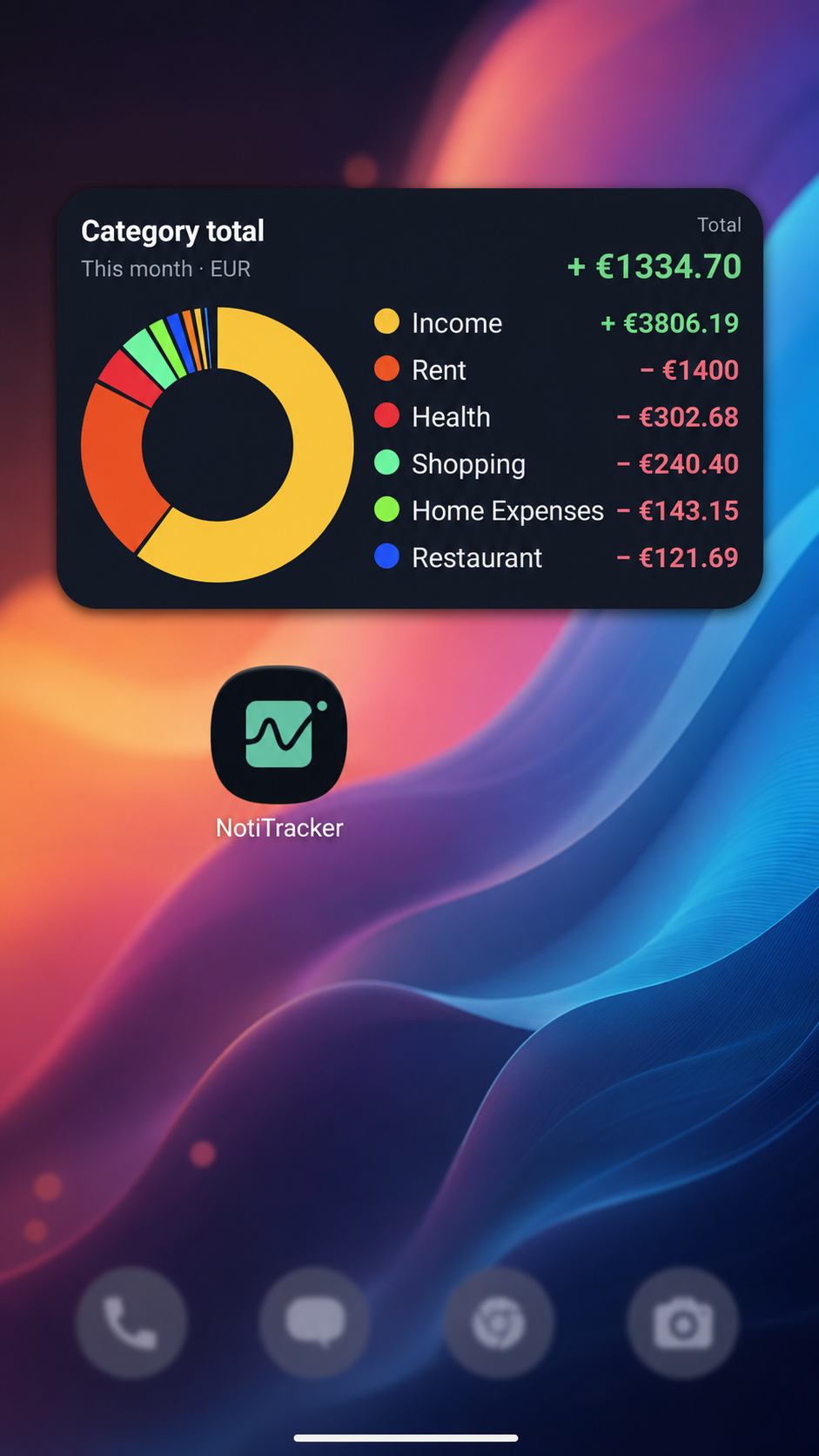
Category breakdowns and a live activity feed keep daily spending easy to track.
Personal finance · Now on Android
Every transaction mirrors to your Google Sheet. Always stay on top of your finances.
Less typing. More clarity. Capture spending the moment it happens.
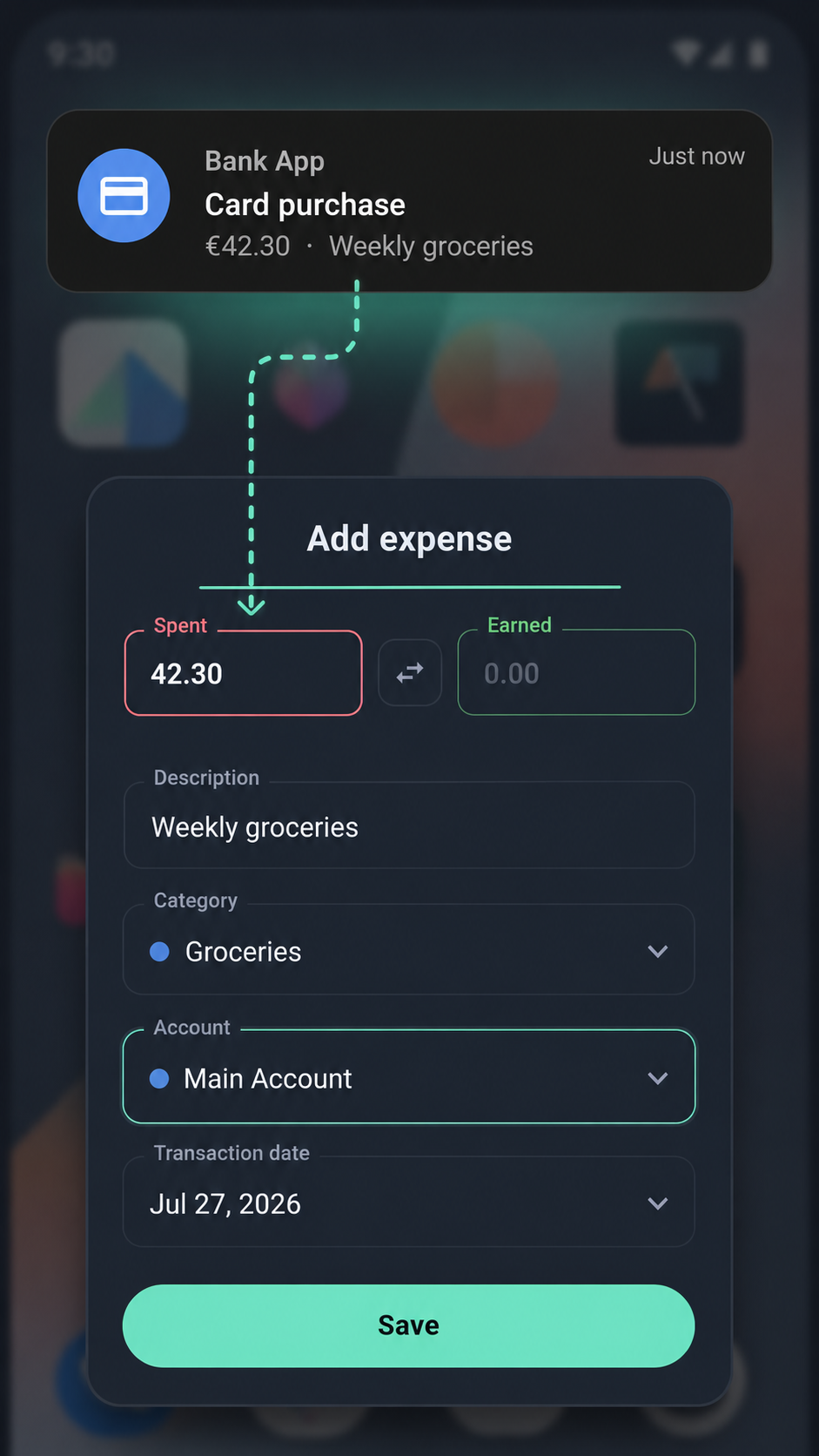
Notification capture
A bank alert arrives -> amount, merchant, and category are detected. As you use NotiTracker, it learns your patterns so logging gets faster every time.
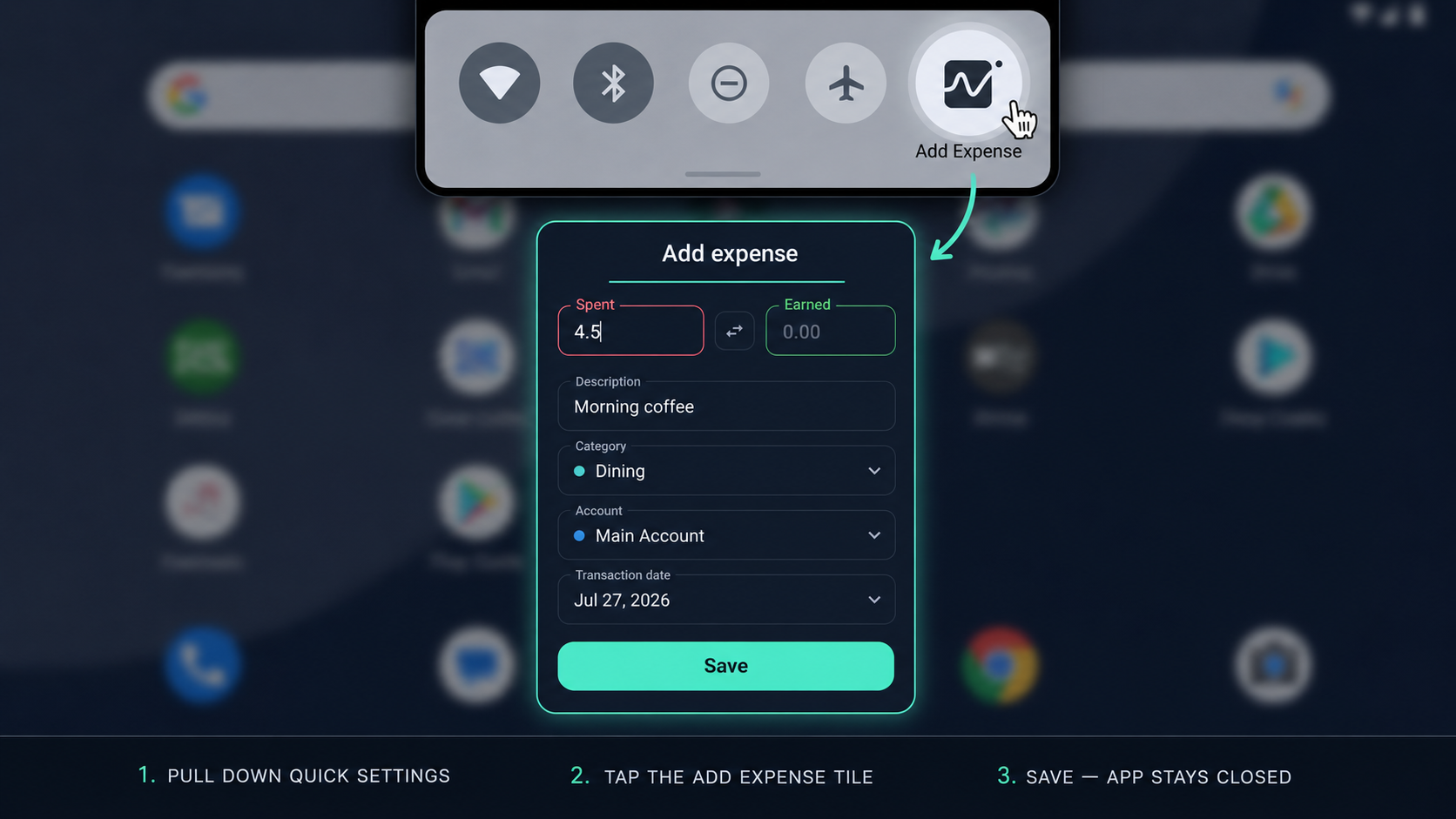
Quick Settings tile
Pull down Quick Settings, tap the Add Expense tile, and save. The main app stays closed.
Google Sheets sync
Connect a Google Sheet. Every saved expense flows into your spreadsheet and transactions, summaries, and charts stay up to date automatically.
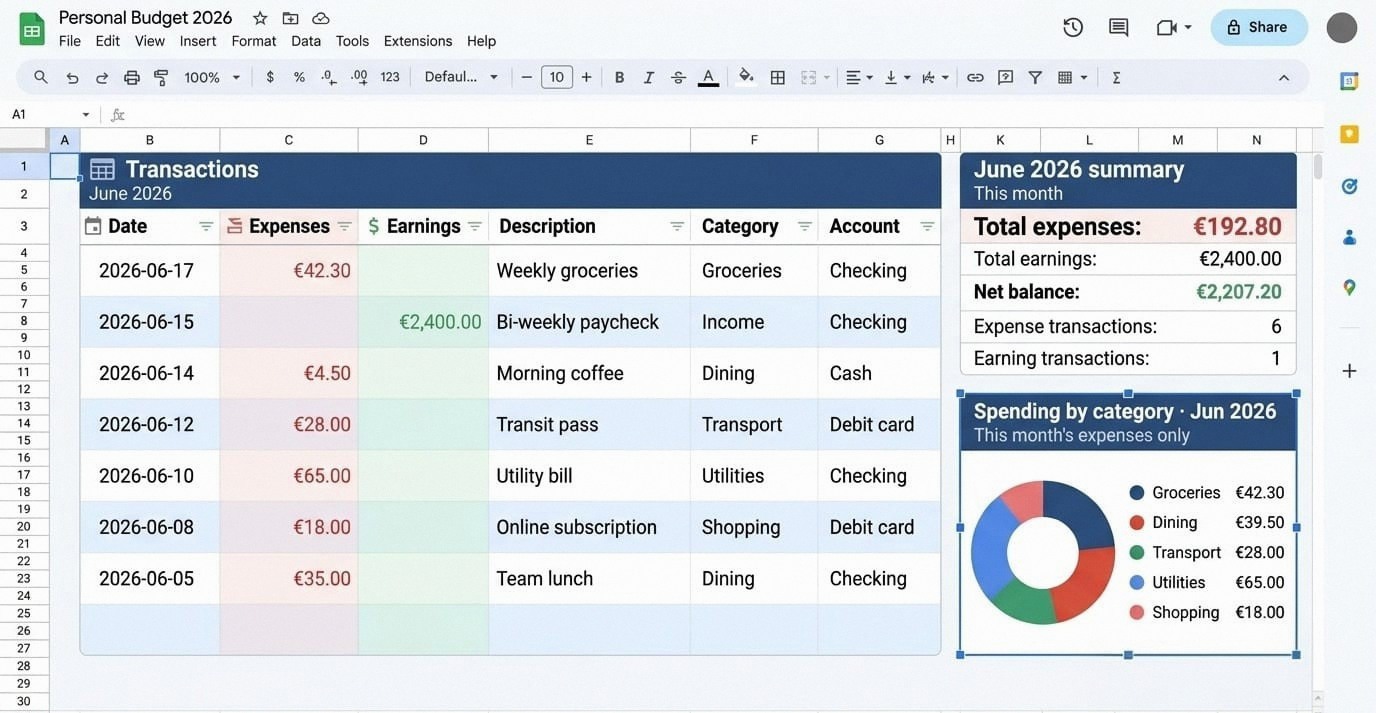
Date, amount, description, category, and account on each row of your connected tab.
Total expenses, earnings, and net balance calculated automatically each month.
Category breakdowns built from the same data you capture on your phone.
Overview, activity, entry, and smart fill. Designed to stay out of your way.
Overview
Category breakdowns and a live activity feed keep daily spending easy to track.
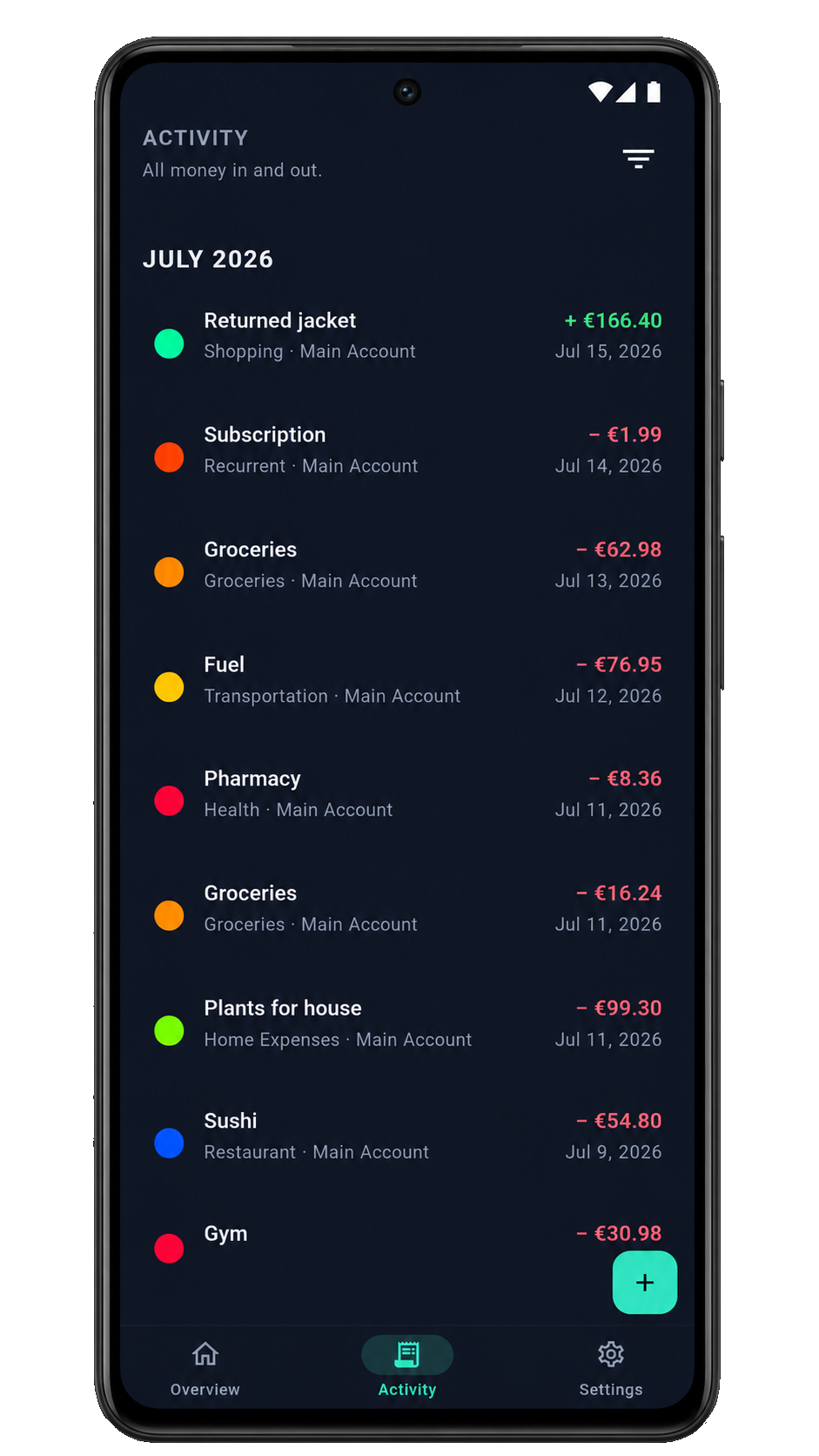
Activity
A filterable feed of your transactions.
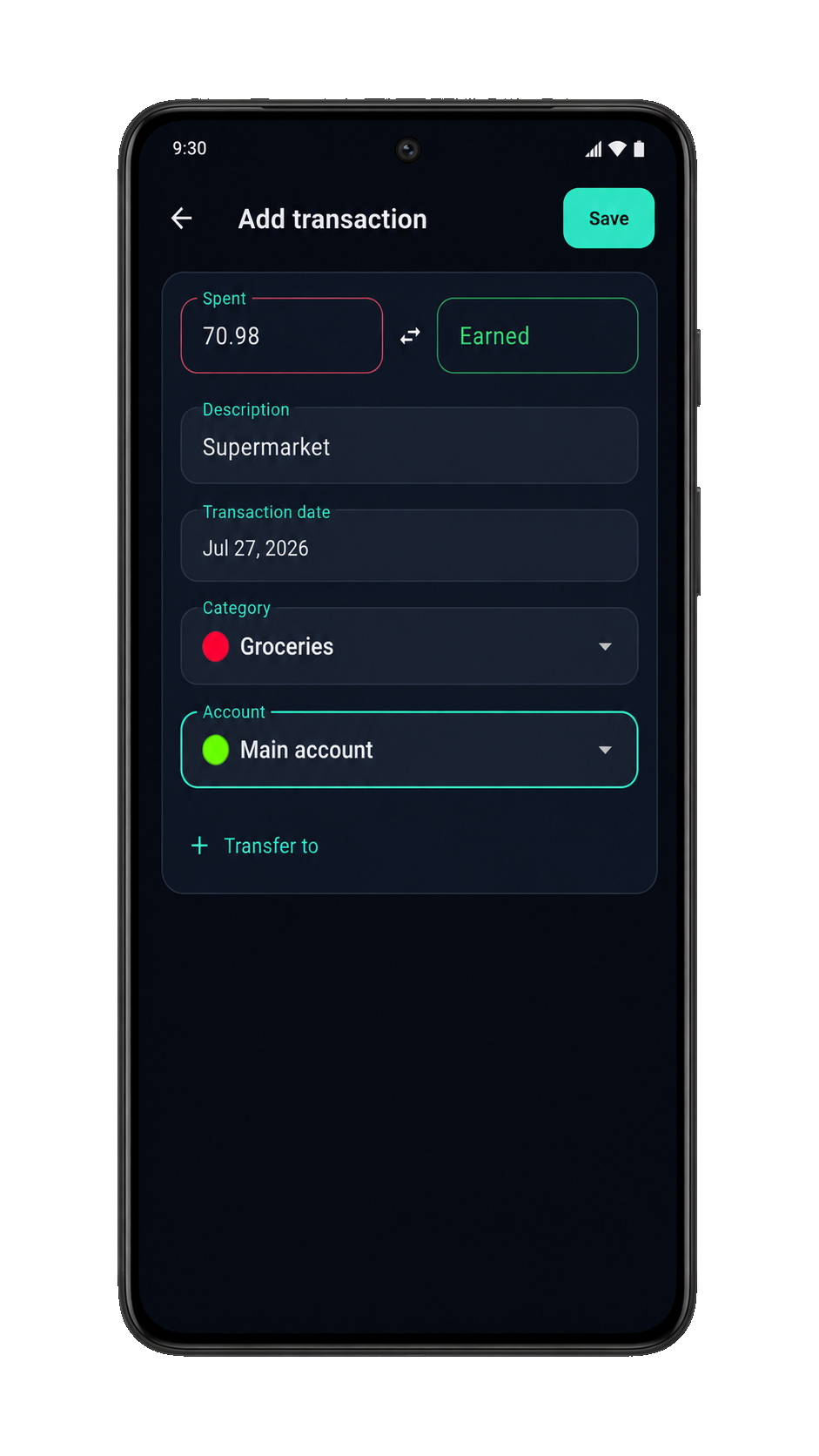
Quick entry
A focused form for spent or earned amounts.
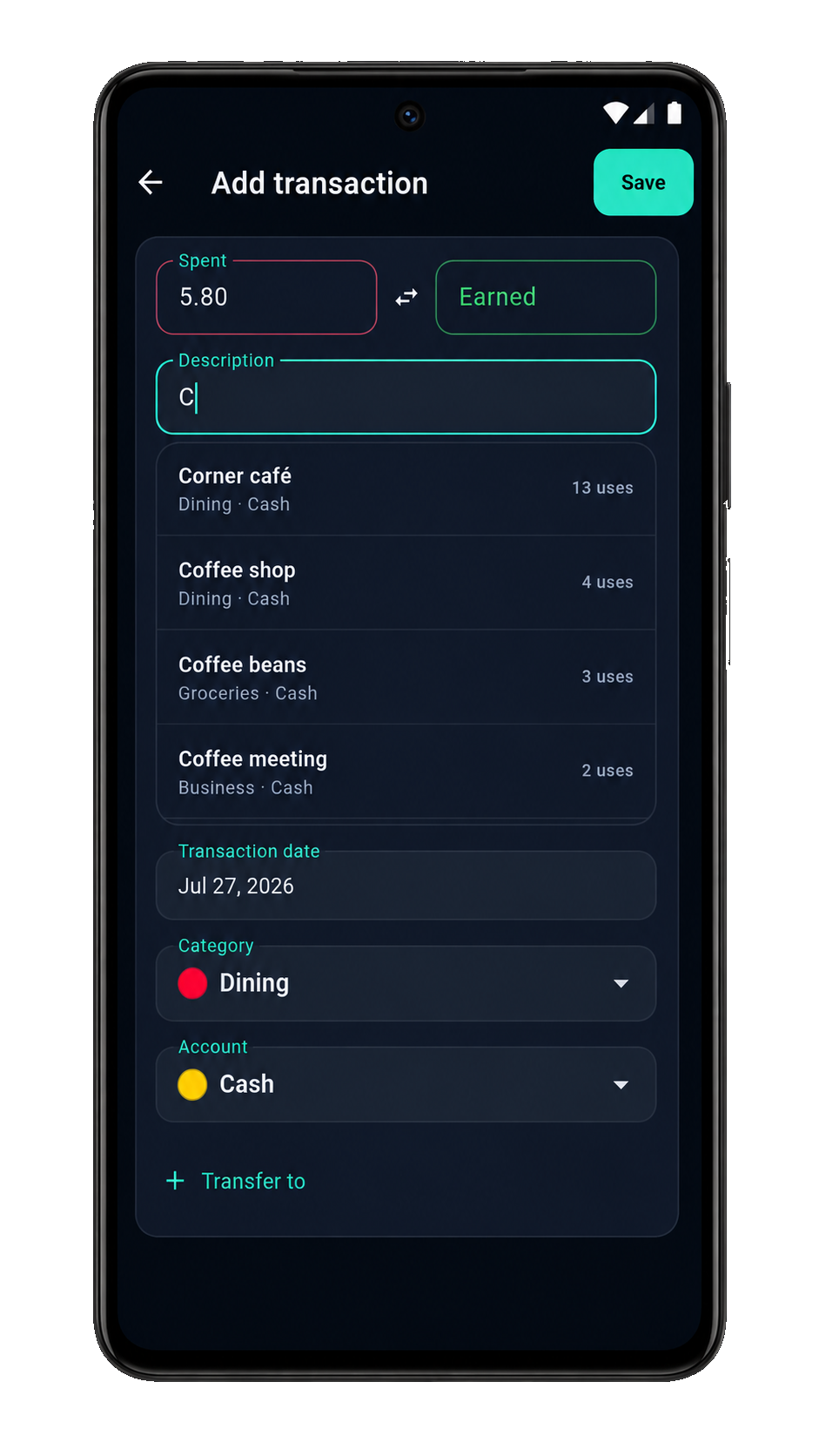
Smart fill
Start typing a description and pick from past entries. Category and account get filled automatically.
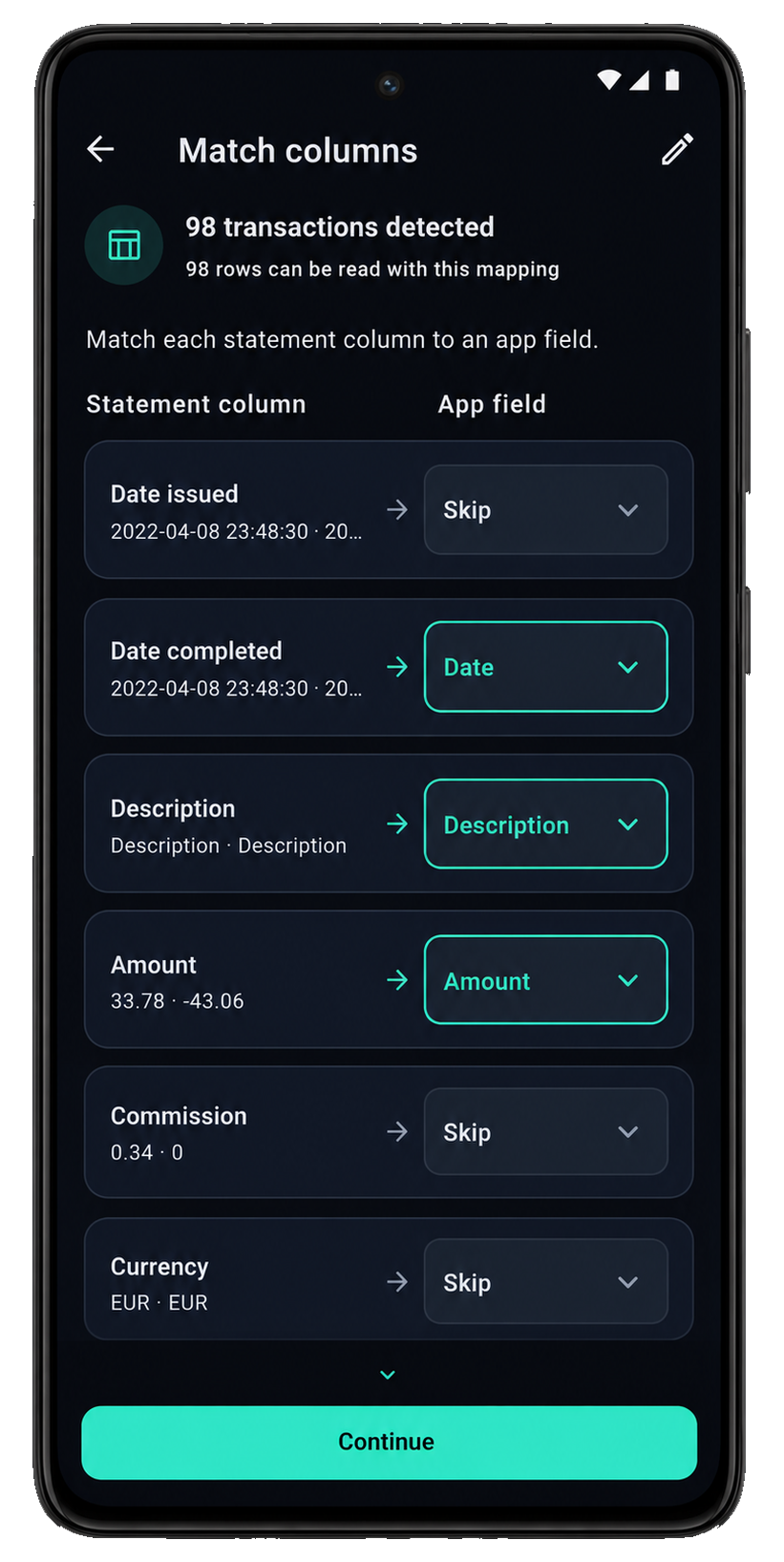
Bank statement import
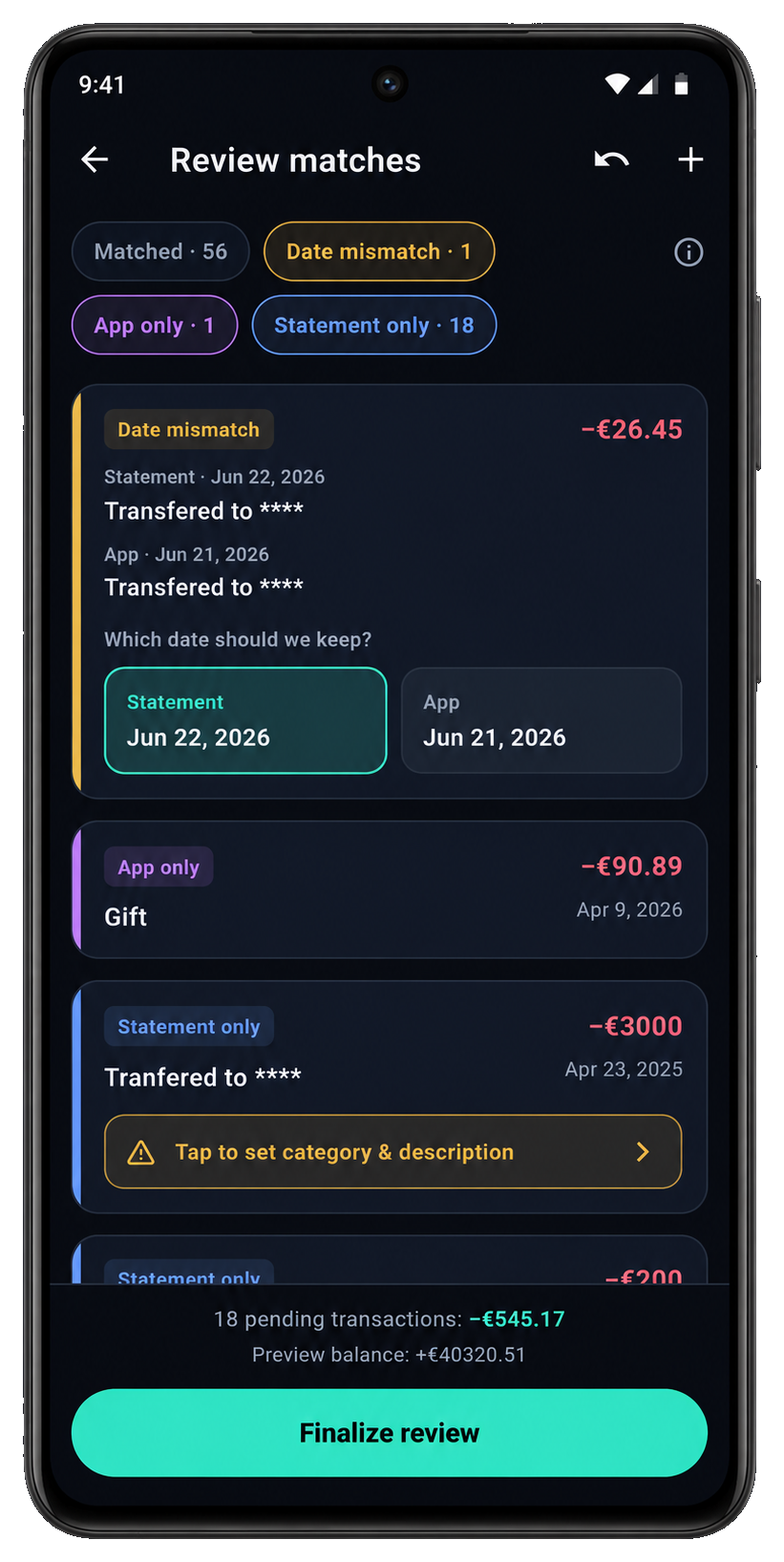
Map your statement columns, then resolve mismatches before anything is applied. This way, the app and your bank always stay aligned down to the cents!
Free on Android. Capture expenses from notifications and sync to Google Sheets.